Minecraft is one of the most exciting sandbox game. In this, you can build houses, explore caves, fight creatures, and travel through different 3D worlds. The most interesting thing about Minecraft is creating portals. These portals allow you to move from one part of the game to another. Through them, you can easily discover new things with different content. In this article you will learn about How to make Portals in Minecraft.
Many players find it difficult to build portals because they require a variety of resources and building materials. The good news for these players is that it’s easier to do so without getting injured if you take the right steps now.
What is Portal in Minecraft APK?
Portals in Minecraft act as means of transportation, allowing you to travel long distances from one side of the game to another without having to travel on foot. Through these portals, you can find rare resources, go on further adventures, fight enemies, and explore other aspects of the game. There are many types of portals in Minecraft, but in this blog, you will only learn about two of them.
Types of Portals in Minecraft ?
The two main portals in Minecraft are:
Nether Portal
End Portal
There are also other portal concepts, such as Aether, Heaven, Diamond, Emerald, and Gold Portals. However, these are not part of the official game and usually require mods or custom add-ons to work.
1. Nether Portal
A Nether Portal allows players to travel from the Overworld to the Nether, a dangerous dimension filled with lava, hostile mobs, and valuable resources. The portal is built using obsidian blocks and activated with Flint and Steel. Once activated, it creates a purple glowing gateway that lets you enter the Nether and explore new areas.
Materials Required
10 Obsidian Blocks
Flint and Steel
With these materials, you can quickly build and activate your own Nether Portal in this game.
How to make a Nether Portals in Minecraft ?
- First, find lava and pour water over it to create obsidian.
Use a diamond pickaxe to mine and collect at least 10 obsidian blocks.
Build a rectangular frame using the obsidian blocks.
Leave the middle of the frame empty.
Craft Flint and Steel using 1 iron ingot and 1 flint.
Use the Flint and Steel on the inside of the obsidian frame.
The portal will light up with a purple glow.
Walk through the portal to enter the Nether and explore a new world.
Safety Tips before Entering the Nether Portal
The Nether is a dangerous place, so make sure to bring these items to help you survive.
- Strong armour.
- A sword.
- A pack of food.
- A strong shield.
- Blocks for building houses.
2. End Portal
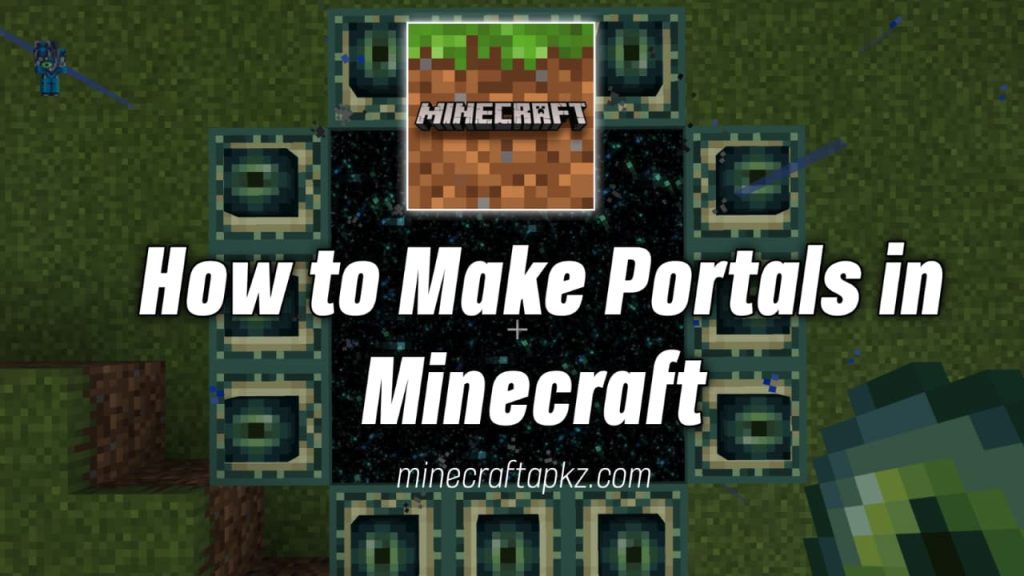
An End Portal is a special portal that transports players to the End dimension, home of the powerful Ender Dragon. It is one of the most important portals in Minecraft because it allows players to reach the final stage of the game. The portal is activated by placing Eyes of Ender into End Portal Frames. Once activated, you can jump into the portal and travel to the End to explore, battle enemies, and earn valuable rewards.
Materials Required
12 End Portal Frames
12 Eyes of Ender
A flat area to build the portal on
How to make an End Portal in Minecraft
- Start by collecting 12 Ultimate Portal Frames and 12 Ultimate Eyes.
- Find the open space where you want to build the portal.
- Now, place the 12 Final Portal Frame squarely on the empty space in the middle.
- Once you’ve set up the frames, start applying Final Eyes to each frame.
- Add Final Eyes until all 3 frames are filled.
- The portal will open automatically once you have set up the last Final Eye.
- A dark portal will appear in the center of the frame.
- Jump through the portal to enter the final area.
- Now you can explore it and encounter the Last Dragon.
Common Problems and Solutions
1. The door is broken
This problem can be caused by an incorrect adjustment to the size of the frame or not enough obsidian blocks. So you need to carefully examine the entire frame.
2. Firestone and iron do not work
To solve this problem, make sure the center of the frame is hollow and made of obsidian.
3. The last channel does not open
To solve this problem, each last door frame should be properly rotated and face inward.ْ
4. The portal leads to an unusual location
This can be a problem if there is another entrance nearby. So you should build the gates carefully and avoid placing them too close together.
Must Read: How to Make a Teleport in Minecraft?
Pros & cons
Pros
- Creates a new world
- Offer rare rewards
- Increases the level of adventure
- Enhances the enjoyment of games
- Enhances the experience of exploration
- Open up new challenges
Cons
- Requires a lot of resources.
- Some materials can be difficult to find.
- Can be challenging for new players.
- There is a risk of losing your items while exploring.
- Building and preparing the portal takes time.
Conclusion
Creating portals in Minecraft APK is one of the most exciting parts of the game. The Nether Portal allows players to explore a dangerous world full of valuable resources, while the End Portal provides the ultimate challenge against the Ender Dragon.
By following the right steps and gathering the right materials, even beginners can create portals without any problems. It is worth practicing the process described above so that you can enjoy the adventure where you will discover everything that Minecraft has to offer to every player.
Faq's
To make a portal in Minecraft APK, gather the required materials, build the portal frame, and activate it. The steps vary depending on whether you are making a Nether Portal or an End Portal.
In Minecraft, portals can be deadly, therefore you need to have weapons, food, and helpful items with you. These can aid with your survival in a different location.
They are important because they are a great way to play Minecraft and unlock new areas and adventures for yourself. They also help players collect resources and items.
Pingback: How to Make a Shield in Minecraft?